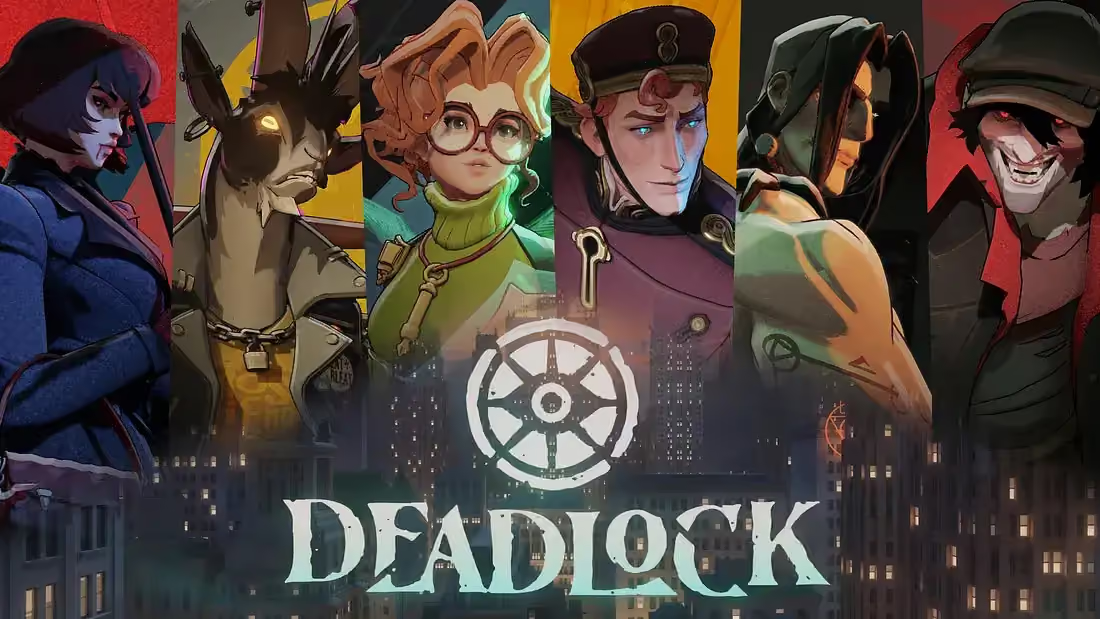
GameGoldLab is the ultimate Deadlock knowledge and coaching platform. Master every hero with in-depth guides, ability breakdowns, optimal item builds, pro builds, counter matchups, synergies, combos, and expert gameplay tips. Track live hero stats including win rates, pick rates, KDA, and match volume. Browse the tier list for the current patch. Book pro coaching sessions to level up.
All Deadlock heroes: Abrams (Brawler), Apollo (Assassin), Bebop (Brawler), Billy (Brawler), Calico (Assassin), Celeste (Marksman), Drifter (Assassin), Dynamo (Mystic), Graves (Marksman), Grey Talon (Marksman), Haze (Assassin), Holliday (Marksman), Infernus (Marksman), Ivy (Marksman), Kelvin (Brawler), Lady Geist (Mystic), Lash (Assassin), McGinnis (Mystic), Mina (Marksman), Mirage (Assassin), Mo and Krill (Brawler), Paige (Mystic), Paradox (Marksman), Pocket (Assassin), Rem (Mystic), Seven (Mystic), Shiv (Brawler), Silver (Marksman), Sinclair (Mystic), The Doorman (Mystic), Venator (Marksman), Victor (Brawler), Vindicta (Marksman), Viscous (Mystic), Vyper (Assassin), Warden (Brawler), Wraith (Marksman), Yamato (Assassin).
Popular heroes include Victor guide, Dynamo guide, Abrams guide, Bebop guide, Haze guide, Seven guide, Lash guide, Yamato guide. Browse the complete hero list.
Hero portraits: 
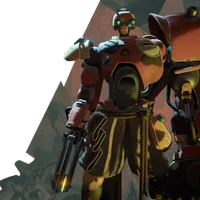
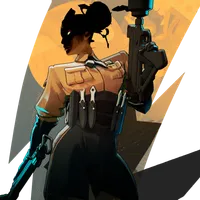
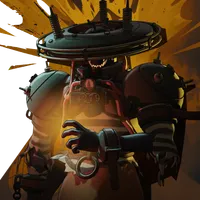
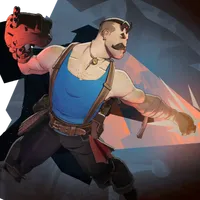
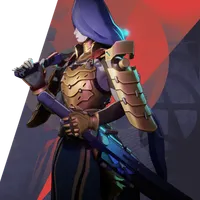
Each hero guide includes base stats, weapon stats, ability breakdowns, item builds, counter matchups, synergies, and FAQs. View all hero guides, check the tier list, and track live stats.
Live statistics for Deadlock including win rates, pick rates, damage output, KDA, net worth, and match volume across all skill brackets. Data sourced from real matches from the deadlock-api.com service. Track the evolving meta with 7-day trend charts showing win rate and pick rate changes over time. Filter heroes by role including Brawler, Marksman, Mystic, and Assassin. Visit the hero stats page for the latest data with win rates and pick rates for every hero.
The Deadlock tier list ranks all heroes using a composite score system. Win rate contributes 40 percent of the score, pick rate contributes 30 percent, match volume contributes 15 percent, and player count contributes 15 percent. S Tier represents the top 14 percent of heroes. A Tier covers the next 20 percent. B Tier includes the next 24 percent. C and D Tier cover the bottom 42 percent. See the full Deadlock tier list for current rankings.
Each hero guide includes item builds for early, mid, and late game phases. Coaching services available in Starter, Pro, and Elite plans with personalized training. Explore pro builds or book coaching sessions.
New to Deadlock? The beginner guide covers soul economy, laning phase, hero roles, map objectives, and core mechanics. The hero roles guide explains Brawler, Marksman, Mystic, and Assassin playstyles. The laning phase guide covers winning your lane and rotating. The soul economy guide explains efficient farming. Browse all Deadlock guides.
Deadlock is a hybrid MOBA-shooter by Valve Corporation in closed alpha. The game combines third-person shooting with MOBA mechanics including lanes, creep waves, towers, and items. Players choose from 38 unique heroes with distinct abilities. Explore hero guides and check live statistics for the current meta.
Deadlock controls feel wrong for the first hour because the game is a third-person MOBA-shooter, not a plain FPS: your camera sits behind your hero, WASD moves you down lanes, and the mouse aims everything from guns to abilities. Once the movement and aim layers click, the rest of the game opens up. This walkthrough covers the Deadlock controls and settings a brand-new player should actually change before their first few matches.
Key points: Movement is three layered speeds; Jumping, crouch-sliding, and dashing are your vertical and evasive tools; Your abilities bind to a set of ability keys, with a separate slot for your ultimate and slots for active items.
Deadlock controls feel wrong for the first hour because the game is a third-person MOBA-shooter, not a plain FPS: your camera sits behind your hero, WASD moves you down lanes, and the mouse aims everything from guns to abilities. Once the movement and aim layers click, the rest of the game opens up. This walkthrough covers the Deadlock controls and settings a brand-new player should actually change before their first few matches.
Movement is three layered speeds. Your default walk gets you around base and between trades; a sprint speed kicks in when you keep moving forward without firing or taking damage, which is how you rotate between lanes quickly; and a dash gives you a short burst that doubles as a dodge for skillshots. Get comfortable shifting between these states before you worry about anything else.
Jumping, crouch-sliding, and dashing are your vertical and evasive tools. Sliding under a closing door or a Guardian's attack, hopping over a wall in a chase, and dashing out of a slow are all basic survival skills, not flashy tricks. Spend your first session in the practice range just moving around objects and cars instead of shooting anything.
Your abilities bind to a set of ability keys, with a separate slot for your ultimate and slots for active items. Rather than copying someone else's layout, open the settings menu and check which key sits comfortably under a finger that stays free while you strafe. If a hero has a directional skillshot, try a quick-cast or hold-to-cast toggle so the ability fires the moment you release the key instead of asking you to click after.
Active items are effectively a second ability bar. Because every build runs a few actives, make sure their keys are reachable without lifting a hand off WASD. If you notice you never use an item because the key is awkward, that is a controls problem, not a discipline problem, so rebind it and test again.
Mouse sensitivity and your crosshair matter more here than in most shooters because you aim both guns and abilities. Dial sensitivity down until you can track a strafing target smoothly, then fine-tune by feel rather than starting from a pro's number. Build a crosshair you can see against both the bright and the dark surfaces of the map, and keep it small so it never hides a target.
Field of view changes how much of your surroundings and your own hero you can read at once. A slightly wider FOV helps you spot flankers in lanes, but push it too far and distant targets shrink and get hard to hit. Some players also nudge the camera so the hero model blocks less of the screen during fights.
Performance settings are a priority in a movement-heavy game. Cap your frame rate to something stable instead of chasing raw peaks, because steady frames matter more than high ones while you dash and track. Turn down shadows, fog, and post-processing first, and keep draw distance plus anything that helps you see enemies at range.
Rebuild your keybinds around your hand, not a template. Two rules cover most of it: every combat ability and active item must be reachable without moving your movement fingers, and any action you spam, like your dash or ultimate, should sit under a finger that is free mid-fight. Test changes in the practice range, then take them into a real match to see what sticks.
Set comfortable keys for pinging, the scoreboard, and the shop. Pings are how you tell teammates to rotate or to watch a lane without typing, and a fast scoreboard key lets you check who is ahead between waves. Bind the shop to something you can hit while walking back to base so you can buy on the move instead of standing still.
Audio settings do real work. Enemy footsteps, ability wind-ups, and ultimate voice lines are your early warning system, so keep effects loud enough to hear over everything else and pull music down. If voice chat is drowning out game sounds, lower it in the audio tab rather than muting your whole team.
Accessibility and comfort options are legitimate competitive tools, not gimmicks. Colorblind palettes, ability outlines, and text-size settings help you process the screen faster, while reduced screen-shake or an adjusted camera can cut eye strain over long sessions. Turn on whatever makes threats and cooldowns easier to spot at a glance.
Once your controls feel solid, learn what each hero actually does, since knowing ability ranges tells you exactly what to dodge. Our hero pages break down every character's kit, and pairing that with a clear grasp of how souls turn into items via the soul economy guide is what makes your settings pay off in real games.
The mistakes that cost new players the most: never rebinding awkward keys, playing on max settings that tank their frames, ignoring sprint so they reach fights late, and treating active items as if they were passive. Fix your setup early and none of those habits ever form.
If you want to compare layouts, find practice partners, or ask which settings suit your hardware, join our Discord, where players share configs and coach new arrivals through their first real matches.